







Infor CPQ 2025.10 Release: October Update Highlights

Infor CPQ 2025.10 Release: October Update Highlights

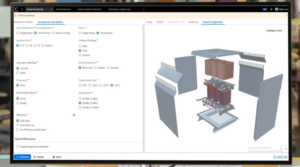
The Infor CPQ 2025.10 October Update is live, bringing powerful new enhancements across quoting, configuration, and deployment. This Infor CPQ update focuses on performance, usability, and cloud readiness, helping teams work smarter and faster across Infor Enterprise Quoting and Configuration Designer.

This guide outlines everything you need to know about the Infor October Update, including key release highlights and how these changes can benefit your business.


General Release Notes: What’s New in Infor 2025.10?

The Infor CPQ 2025.10 release continues Infor’s investment in cloud-first, multi-tenant architecture. Current deployments are available in these regions:

  • US East
  • Frankfurt
  • London
  • Montreal
  • Sydney

While language support remains consistent, this version delivers major improvements in translation management, making global deployment smoother than ever.

Other key updates include:

  • The industry process catalog remains unchanged for this cycle.
  • Performance enhancements in Enterprise Quoting build on the progress made in earlier 2025 updates.

These changes reflect Infor’s ongoing effort to strengthen reliability and scalability across its cloud solutions.


Enterprise Quoting Enhancements: What’s Improved?

The Infor CPQ October 2025 release introduces several enhancements designed to streamline quoting and approvals in Infor Enterprise Quoting.

Sales Portal → Enterprise Quoting Migration Enhancements

A new enhancement to the Sales Portal–to–Enterprise Quoting migration process now makes it possible to re-migrate and update master data that was previously transferred. Previously, once data was moved, any corrections or updates required manual workarounds. With this improvement, teams can now easily refresh existing records in Enterprise Quoting, providing far greater flexibility in maintaining accurate, up-to-date master data.

Quote Performance Enhancements

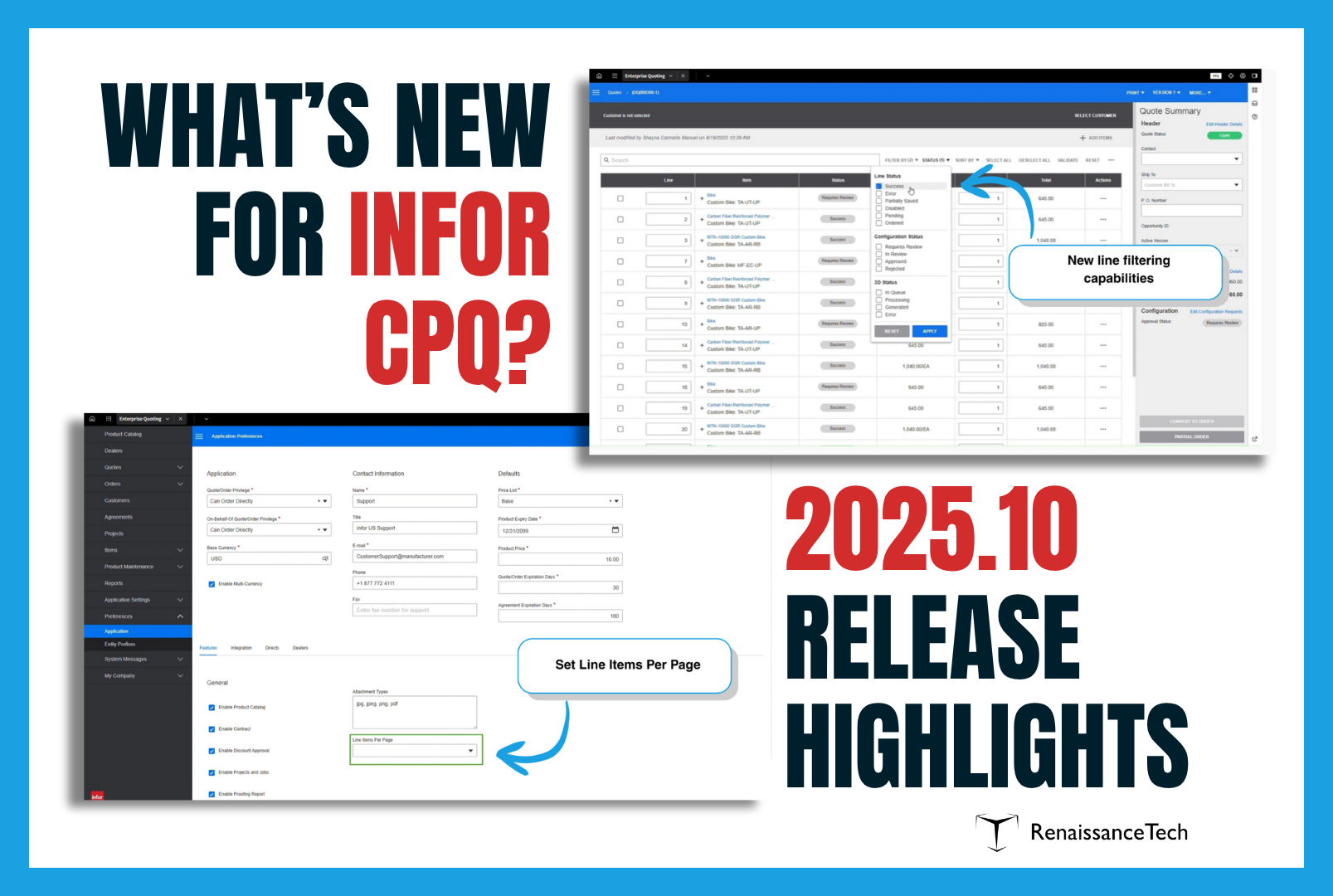
Large quotes (100–300 lines) now load faster and are easier to navigate thanks to:

  • Line paging for improved performance
  • Advanced filtering and search tools
  • Broader support across contracts, quotes, and orders

Background Report Generation

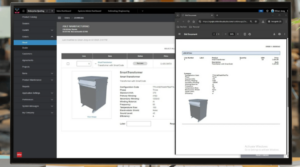
A new “Generate Document” button allows background document creation. Users receive a notification once files are ready, with options to download, open, or access from the document list — improving speed and usability.

Discount Authority for Pricing Approvals

This new feature enables creation of tiered approval workflows streamline discount management. Users can create new discounting approval tiers based on a user’s role and profile. This allows more freedom in determining which roles can approve, and up to what level that role is permitted to discount. The Enterprise Quoting administrator determines the percentages. For example:

  • Managers: up to 25%
  • Directors: up to 50%
  • CEOs: up to 70%

Requests exceeding thresholds automatically escalate, ensuring approvals remain compliant while maintaining quoting velocity.


Configuration Designer Enhancements in Infor 2025.10

The Infor Configuration Designer updates in the 2025.10 release significantly improve flexibility, translation management, and deployment.

Configuration Designer Support for Profiles

Configuration Designer now supports Profiles directly, removing the need to switch to Design Studio. Admins can manage profiles within the same workspace and easily export them between environments, making setup and maintenance faster and more efficient.

Translations for Enterprise Configurator

Creating multilingual experiences in Enterprise Configurator just got easier. Administrators can now manage all language-specific translations for customer-generated text in one place, including rules, messages, and option lists. Translations can be exported as CSV files for use with translation or AI tools, and the runtime UI automatically adapts to the user’s browser or portal language for a seamless experience.

  • Export complete rulesets to CSV for AI or Excel translation
  • Import translated version directly back into Configuration Designer
  • Enable language overrides to match portal or browser settings

Configuration Designer UI/UX Improvements

Enhanced usability includes:

  • Clearer browser tab visibility for simulators
  • Reduced whitespace in rule sets for better readability
  • Direct linking to referenced objects (layouts, matrices, option lists, etc.) without losing context

Local Packages for Configurator Content

The new Local Packages feature in Configuration Management simplifies moving configurator content between workspaces. Users can now bundle and deploy reusable content packages without manual uploads, speeding up workspace setup and cutting down on repetitive tasks.

Rapid Option Rulesets

Rapid Option Rulesets simplify configuration logic by allowing V2 rulesets to run directly within the Rapid Option Control (ROC). This eliminates duplicate logic between rulesets and constraint models, reducing maintenance effort and speeding up rule creation for Enterprise Quoting.

UI Design Flexibility for Configurable Products

Configuration Designer now gives users more control over how configurable product UIs look and feel. With new tools for building custom layouts and stylesheets, teams can personalize interfaces without developer help. This added flexibility allows for branded, user-friendly designs while reducing cost, complexity, and deployment time.


Additional CPQ Features and Integrations Enhancements

In addition to those we’ve highlighted above, the Infor CPQ 2025.10 release adds these enhancements:

  • Upgrade Workbench, Deployments, and Data Catalog to use IDS New Light Theme
    • Workbench deployments and the Data Catalog now adopt the IDS light theme, ensuring a consistent experience across all Infor applications.
  • Navigate to Objects Referenced in a Ruleset
    • Rules writers can nw quickly navigate to any object referenced within a ruleset, such as layouts, stylesheets, or option lists, without manual searching. This direct navigation streamlines development, speeds up authoring, and makes configuration maintenance much more efficient.
  • Autodesk Inventor Add-In Compatibility: Updated for Inventor 2024+ versions.


Why the Infor October Update Matters

The Infor October Update 2025.10 reinforces Infor’s commitment to continuous improvement, offering:

  • Faster quoting through optimized navigation and approvals
  • Smarter translation workflows for global deployments
  • Seamless configuration management across tenants
  • Secure, flexible pricing approvals

For Infor CPQ users, this means improved performance, scalability, and end-user experience within the Infor cloud environment.


Looking Ahead: Get the Most from Your Infor CPQ Update

At RenaissanceTech, we help manufacturers leverage every Infor CPQ update to its fullest. Our team specializes in maximizing ROI from Infor Enterprise Quoting, Configuration Designer, and related integrations.

Do you have questions about the release or need assistance applying updates? Contact us to schedule a consultation.


CPQ Add-ons That Fit Your Business

CPQ Add-ons That Fit Your Business

At RenaissanceTech, we know that a one-size-fits-all approach doesn’t work when it comes to CPQ. Every business has its own workflows, technical landscape, and customer expectations. That is why our services are designed to make Infor CPQ work for you, aligning closely with your unique processes, products, and goals.

Whether you’re working in the cloud or on-premise, integrating with ERP systems, or looking to improve the way you present configurable products, our team brings the experience and technical creativity to extend CPQ in ways that are meaningful to you. Below are just a few of the solutions we offer to help customers get more value from Infor CPQ.

DocuSign: Sign, Seal, and Store  

Speed matters in the sales process, and so does simplicity. That’s why we’ve built an integration between Infor Enterprise Quoting (EQ) and DocuSign that enables customers to sign quotes directly within the document itself. There's no need to download files, print and scan, or chase down approvals over email. With a few clicks, the quote is signed, sealed, and stored, making the sales cycle faster and more efficient, while maintaining a professional and secure experience for both internal teams and customers. Get more info about the DocuSign integration here.

Stitch Images: Visual Flexibility Without the Overhead

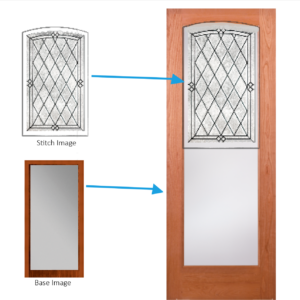
For many companies, especially those with highly configurable products, showing an accurate visual of the end result is key to closing a sale. But creating individual images for every possible product combination is time-consuming and inefficient. That’s where our custom image stitching tool comes in, built exclusively for on-premise Infor CPQ users.

This add-on feature allows you to combine two or more product images on the fly, creating a composite visual that reflects the selected options in the configurator. It supports dynamic image layering and enables real-time visualization as users make their selections.
Some key benefits of the stitch tool include:

  • Mix-and-match flexibility – Combine components, colors, or accessories in real time
  • Reduced design workload – Eliminate the need to pre-create images for every possible combination
  • Consistent visuals – Maintain a unified look across all stitched images
  • Faster load times – Fewer total image files means leaner web performance
  • Customer clarity – Help buyers see exactly what they’re getting before they commit

If aesthetics and visual appeal plays a role in your customer’s buying process, Stitch Images is essential.

VISUAL ERP SQL Lookup: Real-Time Data

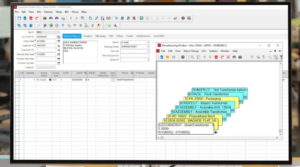
One of the biggest challenges with cloud-based configurators is accessing real-time data from on-premise ERP systems. Our SQL Proxy tool solves that problem. It allows Infor Cloud CPQ to execute SQL queries against an on-prem database—such as VISUAL ERP—and return live data directly into the configurator.

Let’s say you price your products using a cost-plus model. As the user configures a product, their selections drive the inclusion of certain materials or components. The SQL Proxy tool dynamically builds a query based on those selections, then retrieves the actual raw material costs from VISUAL ERP. This data is used to calculate the total cost and inform pricing, all without needing to duplicate ERP data into CPQ.

In short, it keeps your pricing accurate and your data consistent—without the manual work or system lag.

SwiftSell: A Smart Sales Portal Alternative for On-Prem Users

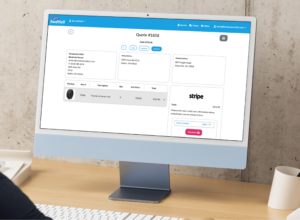
If you're still operating on-premise and not yet ready for cloud migration, SwiftSell is the ultimate alternative to Infor Sales Portal. It offers a lightweight, browser-based solution that brings CPQ functionality to your sales team, with a clean, modern UI and fast implementation time. SwiftSell gives users direct access to the configurator and quoting tools they need, operating as a selling portal for both internal and external users.

It’s designed for speed, usability, and integration with your existing systems, without making major changes to your infrastructure.

EDI Integration: Automate Order Creation

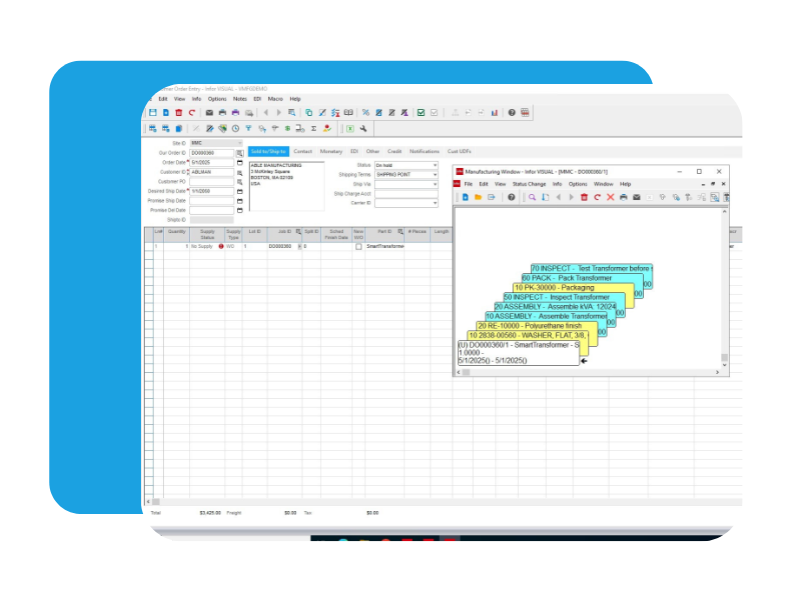
Manual data entry slows down operations and introduces risk. Our EDI integration addresses that by automating the creation of orders in SyteLine once a quote or configuration is complete. Order data can be submitted in multiple ways: through uploaded files, direct database queries, or via API endpoints that accept web-based submissions.

Once the data is received, our integration generates a complete order, including:

  • Order header information
  • Detailed configuration data from CPQ
  • Associated work orders ready for production

This automation ensures that sales, engineering, and production are always in sync. It also reduces errors, accelerates turnaround times, and frees up your teams to focus on value-added tasks instead of paperwork.

At RenaissanceTech, we don’t just implement Infor CPQ. We build smart, practical solutions that help you get more from your investment. Whether you're looking to improve visual elements of configuration, streamline sales, connect to legacy systems, or automate key processes, we’re here to make CPQ fit your business, not the other way around.


Let us know how we can help bring your CPQ vision to life!

Time’s Up for MPC: Why Infor CPQ Is the Smarter Choice for VISUAL Manufacturing

Time’s Up for MPC: Why Infor CPQ Is the Smarter Choice for VISUAL Manufacturing

For over two decades, Experlogix's Master Product Configurator (MPC) product has been a dependable tool for engineering teams using VISUAL Manufacturing ERP. But what once felt “good enough” is now a clear blocker for growth.

MPC may still function for internal use cases, but it simply can’t support modern quoting needs—especially for manufacturers looking to enable dealers, distributors, or external sales teams. With no new features on the roadmap and only maintenance-level support, it’s effectively on life support.

Infor CPQ offers a future-ready alternative: a modern, cloud-capable platform that doesn’t just replace MPC—it expands far beyond it. If you’re serious about scaling quoting, improving customer experience, or entering new sales channels, the choice is clear.

No Straightforward Migration—But Strategic Elements Can Transfer

There’s no direct, push-button migration from MPC to Infor CPQ. MPC uses a proprietary programming language, meaning that the rules logic itself does not directly transfer over.

However, many foundational elements—such as option lists and matrices—can be reused or adapted to ease the transition. These pieces of configuration logic often live in spreadsheets or Access databases and can be exported and mapped into the CPQ environment, reducing the amount of rework required.

From Niche Code to Team-Friendly Tools

One of MPC’s biggest challenges is its reliance on a niche programming language—one that few people know and even fewer are learning. This makes it hard to scale configuration work, onboard new team members, or tap into external resources for help. It also creates long-term dependency on individuals who have mastered this niche system.

Infor CPQ removes that bottleneck. Its configuration logic is built using structured, readable syntax—often similar to what someone might use in Excel formulas. Combined with its drag-and-drop Design Studio and guided rule-building interface, CPQ empowers a much wider range of users to contribute.

The result? Faster onboarding, easier updates, and less reliance on hard-to-replace experts.

Risks of Holding On to MPC

MPC is no longer receiving new features and is limited to maintenance-only updates. This means no innovation, no roadmap, and increasingly limited technical assistance. Over time, bugs have emerged that impact critical functionality—often requiring backend workarounds that only experienced users can implement.​

Additionally, MPC relies on legacy technologies that are becoming increasingly difficult to support. Maintaining such an environment brings real security and stability concerns. If future updates to underlying systems break compatibility, businesses running MPC could be left vulnerable—or worse, inoperable.​

The longer businesses stay on MPC, the more they expose themselves to risk, one that compounds as time goes on and as fewer people remain who know how to maintain or troubleshoot the platform.

The CPQ Advantage: Modern, Intuitive, and Cloud-Ready

Infor CPQ for VISUAL Manufacturing is a modern solution that goes far beyond basic product configuration. When used as part of Infor CloudSuite, CPQ becomes a central part of your digital operations. It supports:

  • Enterprise Quoting to enable internal and external sales teams
  • Mingle collaboration, workflow, and role-based homepages
  • Robust APIs and plugins for ERP, CRM (e.g., Salesforce, Microsoft Dynamics), HR, and other enterprise platforms
  • 2D and 3D visualization toolsfor enhanced sales and engineering use cases
  • IDM (Infor Document Management) integrationfor storing and generating spec sheets, drawings, and quotes

This cloud-native platform enables true connectivity across your systems—whether you're working with multiple ERP instances, managing distributed teams, or supporting acquisitions.

Infor CPQ is more than a configurator. It becomes a strategic component in a connected, digital business strategy.

Leverage What You Know, Modernize Where You Must

While MPC doesn’t provide a direct upgrade path, there is still value in the institutional knowledge that teams have built over the years. Organizations should look to reuse what they can—data tables, configuration logic structures, option lists—while embracing the opportunity to modernize how configuration rules are structured and maintained.

The key is not to start from scratch, but to migrate strategically by leveraging the past while building for the future.


Conclusion: Waiting Comes at a Cost

The longer a business waits to move off MPC, the more difficult and costly that transition becomes. As support fades and the technical risks increase, organizations find themselves investing more just to keep outdated systems afloat. Worse, they’re limiting their ability to scale, integrate, and innovate.

Infor CPQ offers a clear path forward. It brings together modern architecture, easy rule building, deep ERP/CRM integration, and strong visualization—all within a cloud-first framework. For businesses still running on MPC, now is the time to plan a move—not just for operational efficiency, but to future-proof your business.

As the leading implementer of CPQ for VISUAL Manufacturing, RenaissanceTech has helped dozens of VISUAL manufacturers make the move to CPQ successfully. We don’t just implement CPQ—we also own and actively maintain the integration to on-premise VISUAL ERP, giving you a smoother, lower-risk path forward, supported by an in house team of developers who specialize in CPQ to VISUAL integration.

MPC may have served its purpose. But today’s manufacturers need something that can evolve with them. Infor CPQ delivers exactly that.

Infor CPQ and Syteline Projects Integration

Infor CPQ and Syteline Projects Integration

How Maguire Stays Ahead of Growing Service Demand

We had the ability to meet with Maguire Iron (IT Director, Rod Lindstrom and COO Mike Farnsworth) to discuss how they are using the integration RenaissanceTech built to connect Infor’s configurator to Syteline’s Project Module. We learned the key reasons the integration was needed, the benefits it provided the business, and best practices to keep in mind for a CPQ implementation, particularly when integrating a configurator for services.

Why Use a Configurator for Services and Projects?

Traditionally, we hear more about CPQ as a way to configure Products. But what about offered services and entire projects? Maguire can perform water tank projects of all sizes: from service, repair, and maintenance to concept and construction. Offering a variety of services including: relocation, part replacement, painting, and repairs, means that they were faced with the challenge of creating thousands of quotes and hundreds of projects. Manual, paper processes could not keep up with the growing demand for their services. When they made the decision to implement Infor’s configurator (CPQ) and have RenaissanceTech integrate it with Syteline ERP’s Projects Module, everything changed. Quotes that previously took hours to complete, now take a mere 60 seconds. As the quote is built, the Project is simultaneously being created in the background according to selections made in configuration. All of this information is passed directly into the Syteline Projects Module when it’s time to convert the quote to a real project.

Check out a client-led demonstration of this integration!

Best Practices When Implementing CPQ for Service-based Projects

So what are the best practices to keep in mind during the implementation process? It is suggested that you go into your CPQ and Projects Integration with a clear picture of architecture, such as naming conventions and organization of pricing and cost. Maguire also emphasized the importance of understanding how Field Services works and involving sales in the process to ensure that the tool makes sense to everyone.

The benefits of implementing a configurator are significant, such as the ability to handle thousands of projects consistently and tie project and service orders together. This gained scalability allows service-based businesses to do more work while saving time and effort in the process.

If you're new to configurators, Mike suggests starting from the quote setup and next working on the contract instead of the other way around to save time and effort. He also recommends exporting the options list and matrices to a spreadsheet for troubleshooting and simulations with errors to better understand the process.

Overall, implementing a configurator can be challenging, but the benefits are worth it. It can help tie your project, service order, and invoice processes together, saving time and effort in the long run. So why not consider it for your business? Contact us to learn more about the Infor CPQ and Syteline Projects Integration.

3 Signs it’s time for a Cloud Upgrade

3 Signs it’s time for a Cloud Upgrade

Authored By: Karee Hertenstein

As manufacturers need more out of their CPQ systems some may be finding limitations with their on-premise configurator. Let's take a look at three signs it may be time to upgrade to cloud!

1. You Need More Modern Visualization Options

If you or your customers need visual engagement and images in the quoting process on on any device, users will experience a consistent, responsive experience whether on a laptop, tablet or mobile device. Visualization options such as 3D visual configuration and Augmented Reality are how many customers are now setting themselves apart from the competition with cloud CPQ.

2. Needed Assistance with Security

With an Infor CPQ on-premise solution security is solely up to you. Hosting environments in-house does not mean you’re safer from attacks. Attempted targeted ransomware attacks still happen often, making it crucial that you always have security measures in place and preform regular backups. If you don’t have the resources to do this, cloud may be a better option for you.

Cloud: With an Infor CloudSuite Configure Price Quote Solution, Amazon and Infor will be responsible for security on the AWS server. It’s important to note that Amazon’s severs are focused on the security of user’s information.

3. Lack of Integration Among Systems

As more and more software solutions are going exclusively cloud, it can be difficult to connect these more modern solutions to an on premise solution. If you are struggling with not being able to get the software tools you want and need due to complex or inferior integrations, it will be difficult to continue scaling and growing your business. Because constant research and funding are being put into Cloud CPQ, you know you will have the best and brightest of solutions to easily integrate with your necessary systems.

If any of these three indicators speak to your current challenges and concerns, you may be at the crossroads to begin looking at Cloud. We've established tools and best practices to make upgrading to cloud a breeze. Please don’t hesitate to reach out if you want to have a conversation about your cloud configurator upgrade. Let's talk today!

Track Manufacturing Sales Quotes with Infor CPQ’s Quote Versioning

Track Manufacturing Sales Quotes with Infor CPQ’s Quote Versioning

Everybody wants options and giving your customers options drives sales. Does your sales team have the flexibility to offer them?

If your sales process, like most, involves negotiating you need a manufacturing CPQ that gives flexible quoting capabilities. Infor’s cloud CPQ offers countless features that support sales automation for manufacturers, giving your sales team tools to configure products that range from simple to deeply complex. One of these features is called Quote Versioning.

Sales quote versioning allows a method of tracking any iterations to your quotes. This is especially helpful when dealing with negotiations with your customers in the sales cycle.

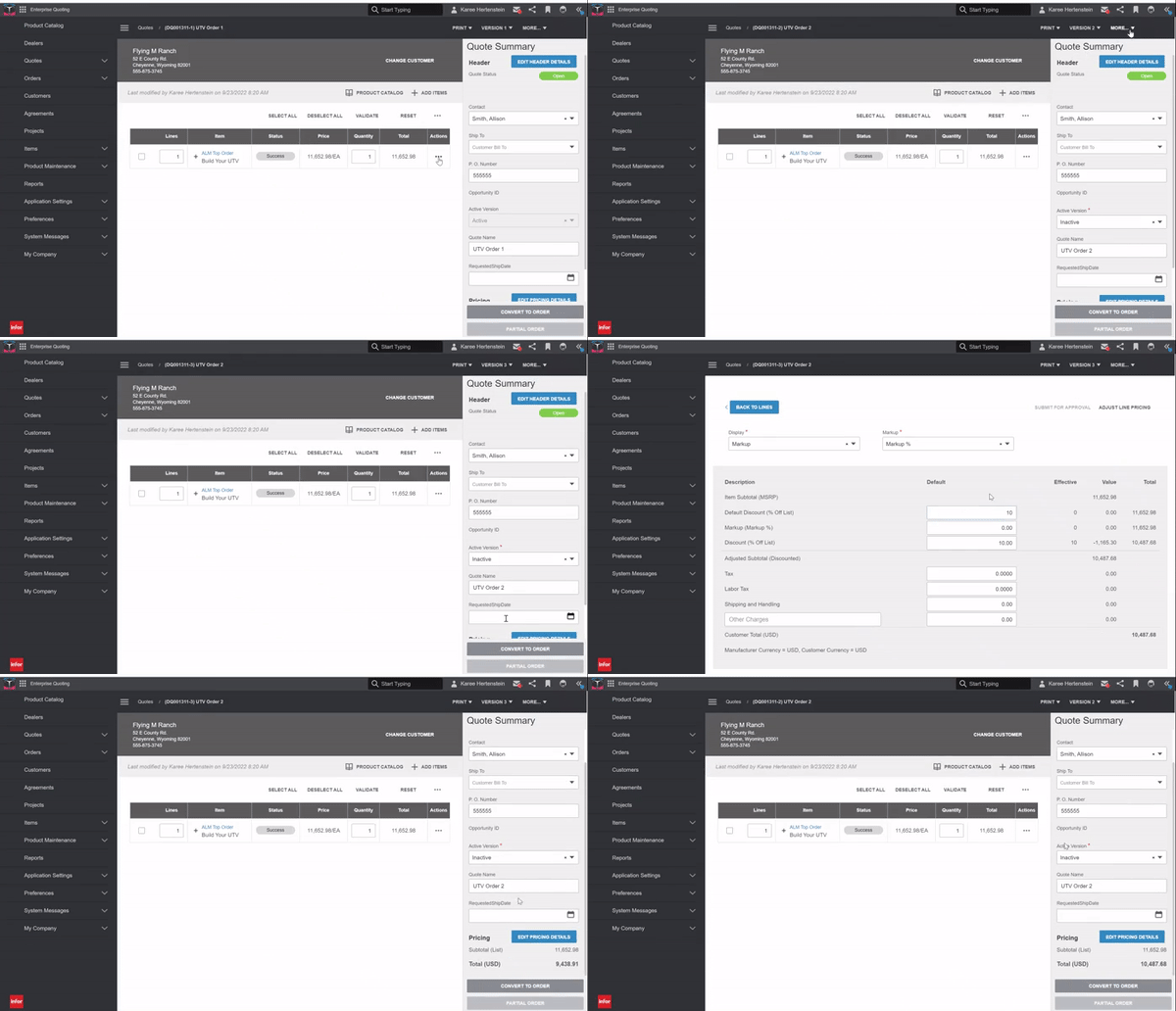
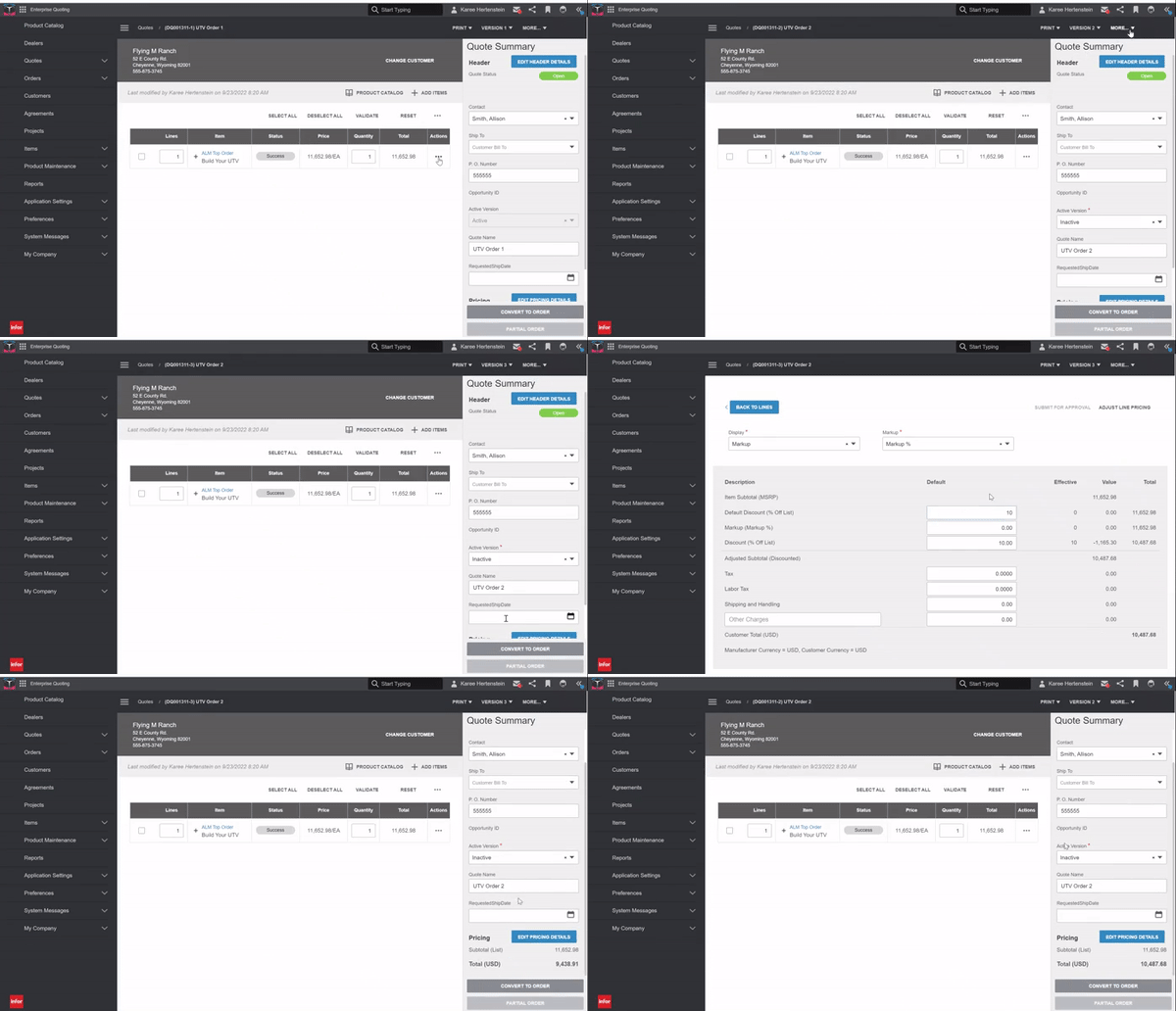
Sales quote versioning in Infor cloud CPQ allows you to create many versions of the same quote to allow for discounting, price changes, or variations in the product itself. A customer may, for instance, want to see formal, separate quotes for multiple iterations of the same product. You can provide all of these different quotes, easily track your changes, and then finally place the order for the quote your customer decides on.

In other scenarios, your sales reps may need the flexibility to offer pre-set discount options to win business. You set the discount rates to ensure you meet your bottom line, while your salespeople gain the ability to offer these discounts on a discretionary basis. Each time a discount is applied, the salesperson creates a new version of the quote so you can easily track the history of the proposal process. Once the customer makes a final decision, the salesperson places the order on the selected quote version and all other versions are closed out null and void so as not to affect win/loss rate in your quoting analytics.

It's time for a sales solution that gives manufacturers more options. See how the CPQ industry is changing the game for manufacturers and what we can do for you. Contact us for a product demo of the best CPQ for manufacturers!