









5 Things Manufacturers Need to Know About Product Configurators

5 Things Manufacturers Need to Know About Product Configurators

Product configurator
Dealer portal software
Sales efficiency
Onboarding new employees
Automated workflows
Centralized database
CPQ for manufacturing
Catalog management
Pricing and discount management
Customer experience
Quote generation
Configure parts
Sales tools
System agnostic configurator
ERP integration
CRM integration
Customizable documents
Sales cycle improvement
Boosting productivity
Productivity tools for manufacturers

1. Everyone is a Sales Expert

Using a Product Configurator and Dealer Portal software as a manufacturer can support the onboarding of new employees in several ways:

Standardization: Using a product configurator provides a standardized process for creating quotes and proposals, which helps new employees learn the process quickly and easily. It ensures that all quotes and proposals are consistent, accurate, and comply with company policies and procedures.

Centralized Database: A product configurator also stores all product information, pricing, and configurations in a centralized database, making it easy for new employees to access and understand the information. This eliminates the need for manual data entry, reducing the chances of errors and improving the overall efficiency of the onboarding process.

Automated Workflows: A configurator software streamlines the quoting and proposal process by automating workflows. This eliminates the need for new employees to manually create quotes and proposals, reducing the learning curve and improving productivity.

Training Materials: Many Configurator Sales Portals provide a place to store training materials, such as video tutorials and user guides, which can be used to onboard new employees quickly and efficiently. This allows them to learn the software, products, and features at their own pace.

In short, using a configuration software as a manufacturer can help new employees onboard faster, reduce errors, and improve productivity. It provides a standardized process for creating quotes and proposals, a centralized database for product information, pricing, and configurations, automated workflows, and training materials virtually stored to help employees learn the products quickly and easily.

2. You Can Configure Anything

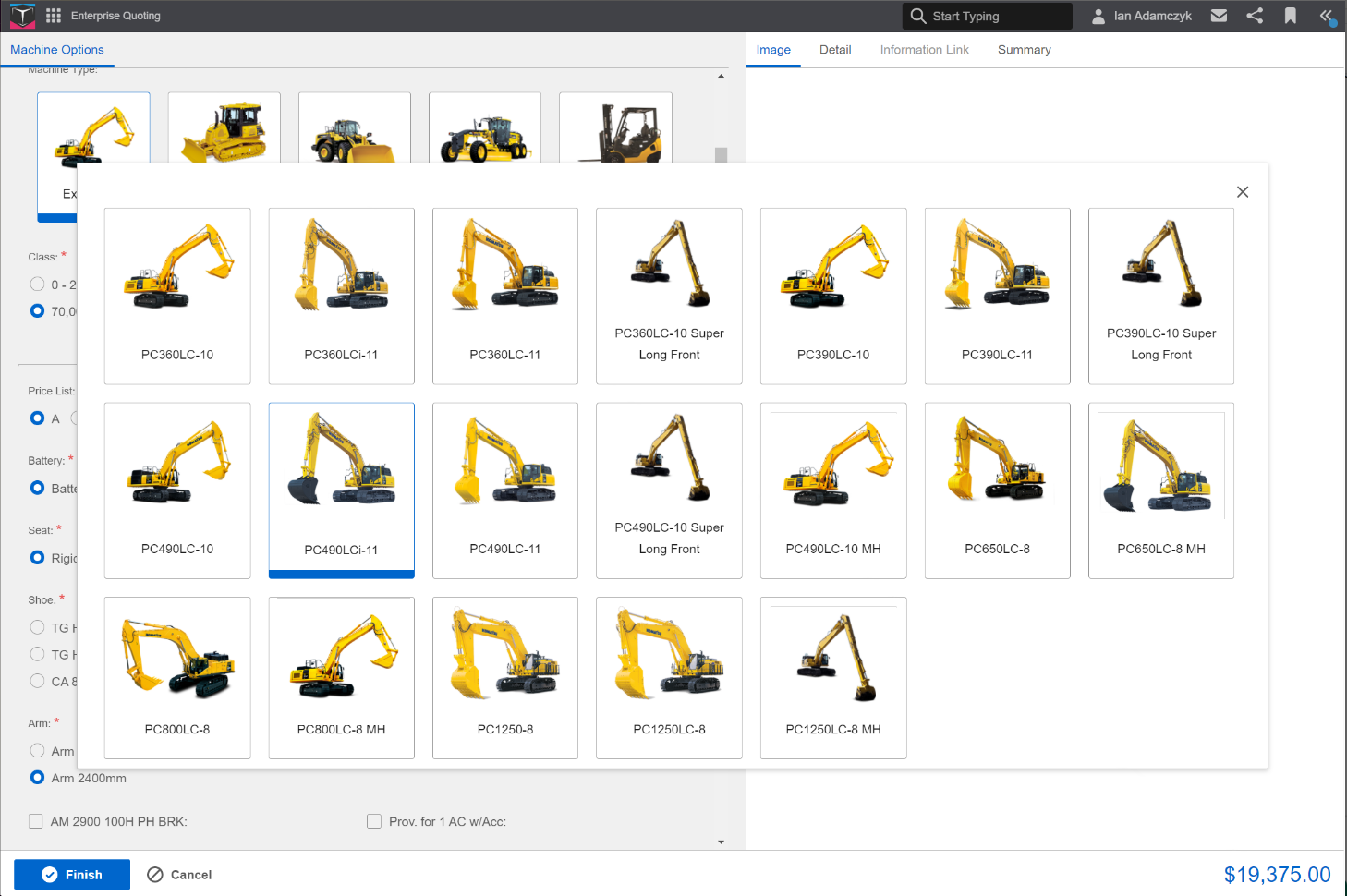
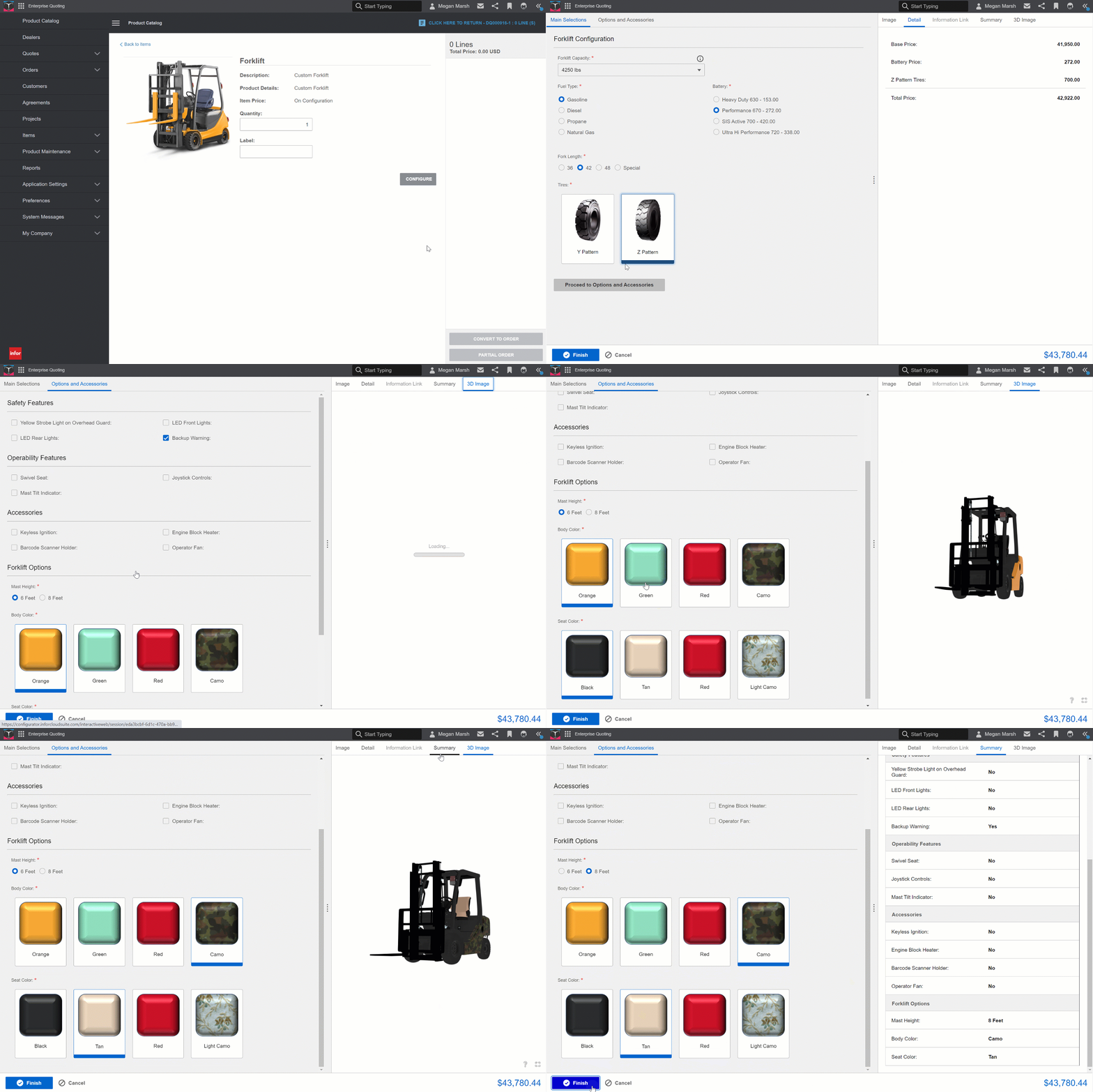
Whether it be semi-configurable parts, assemble-to-order, or fully custom, any product can be added to the system. Product lines and parts are not the only thing to add; users can configure anything with the right setup.

Manufacturers can add contracts and items to create customized documents based on customer needs. And users can add and configure different service requests to quotes. This allows the sales team to include all necessary information and requests in one location.
CPQ For Manufacturing
Product configurator
Dealer portal software
Sales efficiency
Onboarding new employees
Automated workflows
Centralized database
CPQ for manufacturing
Catalog management
Pricing and discount management
Customer experience
Quote generation
Configure parts
Sales tools
System agnostic configurator
ERP integration
CRM integration
Customizable documents
Sales cycle improvement
Boosting productivity
Productivity tools for manufacturers

3. Part Sales Are Always Managed

Catalog management: Manufacturers can use a configurator with a dealer portal to manage their product catalogs and configure them based on specific customer needs. They can define product attributes such as size, color, material, pricing options, and configure the parts accordingly or select non-configurable and spare parts additions.

Pricing and discount management: Manufacturers can use configurator software to manage their pricing and discounts for parts. They can define pricing rules based on different customer segments, geographic regions, or volume discounts. They can also define discounts for specific parts based on promotions or customer-specific pricing agreements.

Overall, a robust product configurator provides manufacturers with a powerful tool to manage part sales. It enables them to configure parts based on customer needs, manage pricing and discounts, and generate full quotes and proposals quickly. This can help manufacturers improve their sales processes, increase efficiency, and provide a better customer experience.

4. A Product Configurator Supports the Customer's Experience

In fact, If you don’t provide a customer experience that they expect, 89% of consumers will switch to a competitor. Now what does the modern day consumer expect? Customer’s expect a fast quote and ordering experience. If a dealer or sales rep does not provide a quote in a timely manner or doesn’t provide accurate information they will find a competitor that will. Consumers expect organized documentation and delivery of those items. If the proposal and ordering process is too confusing you will lose them to someone with a seamless workflow.

This is why it is so important to enable your sales and dealer team to quickly create quotes and proposals that are tailored to the customer's needs. They need to be able to quickly generate accurate quotes for parts based on the customer's configuration. When given a configurator and sales tools users can automatically calculate pricing based on the configured parts and apply any relevant discounts. This allows the sales team to create quotes and proposals quickly, improving the overall sales cycle.

5. Pulling Outside Data is Simpler Than You Thought

Not all product configurators are system agnostic – meaning that the technology can work independently of any specific system. This is a key benefit to systems compatibility and can be found with configurators like, Infor CPQ for example. When using an agnostic product configurator manufacturers can be confident in the ability to integrate any system. Pull customer, part, pricing, routing information and more into your configurator from your other enterprise systems like a CRM or ERP. Overall, a system-agnostic approach can provide greater flexibility, compatibility, and scalability, as it allows technology solutions to work seamlessly across various platforms and devices.

Product configurators and dealer portals are growing in popularity due to the rising need for higher productivity. These tools eliminate bottlenecks in the sales cycle, allowing customers to see the right product, at the right time and at the right cost.

Thanks for reading. Need some support in your product configurator research? With over 15 years of experience in the manufacturing industry, RenaissanceTech will answer any additional configurator questions you have. Talk to us today!

Cloud vs. On-Premise Infor CPQ: Key Differences, Risks, and Benefits

Cloud vs. On-Premise Infor CPQ: Key Differences, Risks, and Benefits

Cloud CPQ, On-premise CPQ, Infor CPQ, CPQ deployment, CPQ hosting options, Cloud vs on-premise CPQ, CPQ integration, Infor CloudSuite CPQ, CPQ security, CPQ cost comparison

What's the difference between On-Premise and Cloud?

There are many factors that drive whether companies choose to use a cloud infrastructure or to stick with their trusted on-premise solution, and every company is different.

Before comparing which platform to consider hosting your Infor configure price quote (CPQ) solution on, lets define what Cloud and On-Premise specifically mean for CPQ.

On-Premise CPQ solution:

An Infor CPQ solution, or any solution that is hosted on-premise will reside on a single tenant, in-house server. Companies must purchase a license and are responsible for maintaining and managing the solution. Organizations with this type of solution will see a high initial cost, but, receive sole ownership of the software and data collected.

The deployment of on-premise CPQ software is internal to an enterprise’s IT infrastructure, giving the owner full responsibility over the security of the software. Sufficient expertise and staffing is required to maintain operation and security.

Cloud CPQ Solution:

Infor Cloud CPQ is hosted by Infor on the Amazon Web Services (AWS) Server. A cloud-based server is multi-tenant, meaning there are multiple companies’ software and data currently hosted on that virtual server. 

Organizations with cloud environments are provided regular updates but have minimal ability to modify the environment. Although cloud CPQ has limited customization available, organizations can change account access and permissions for users based on their status within the company.

Additionally, cloud CPQ data is collected on the server which the provider has access to. Even if the host has no intention of looking at the data, this can pose a security risk to companies with highly sensitive information. Like the medical and finance industry, for example.

On the other hand, an organization may find more security from being hosted in a cloud environment because they trust the provider and do not have the resources to manage and run security.

Which is best for you?

There are numerous fundamental differences between an on-premise and cloud hosted environment.  In your case, security, deployment, cost, and control are the key differences that should drive your decision between on-premise and cloud. Which environment is the correct one for you depends entirely on what you need from your CPQ software.

Security

On-Premise: With an Infor CPQ on-premise solution security is solely up to you. Hosting environments in-house does not mean you’re safer from attacks. Attempted targeted ransomware attacks still happen often, making it crucial that you always have security measures in place and preform regular backups. If you don’t have the resources to do this, cloud may be a better option for you.

Cloud: With an Infor CloudSuite Configure Price Quote Solution, Amazon and Infor will be responsible for security on the server. While cloud breaches remain a large concern for IT departments across the planet, it’s important to note that Amazon's severs are focused on the security of user’s information.

Deployment

On-Premise: Infor CPQ is deployed in-house, on a single tenant server, within your enterprise’s IT infrastructure. This method could be better for you if you want direct access to your Infor Configure Price Quote solution.

Cloud: CloudSuite Infor CPQ is hosted on a multi-tenant Infor Server, that users can access at any point. This deployment method would be ideal if you do not have resources to maintain the environment. Also, hosting Infor CPQ from a virtual server can be useful for companies with external dealers and salespeople because cloud has limited views. Meaning, users that have access to your CPQ solution will not have direct access to your ERP.

Control

On-Premise: You will maintain full control of the solution. On-premise relies on direct data via SQL and interfaces for local applications. On-Premise may be the right choice if you want to stay highly involved with the software and add customization, well outside of CPQ’s usual functionality.

Cloud: You still design your configurations in design-studio, but have limited control. The cloud version of Infor CPQ provides built in webservice rules that connect to other cloud APIs.

Cost

On-Premise: Users expect a high initial cost with this method with lower reoccurring costs. On-premise Infor CPQ might be better if your organization is dedicated to using the solution for a long time and has the necessary resources to implement and support it.

Cloud: There is a lower barrier to entry, with a much smaller initial cost. Instead, you would be a subscription fee to Infor each month you want to use the software.

Infor CPQ Integration Options

There are three options for integrating Infor CPQ into your ERP system. Currently, the most popular is an on-premise CPQ solution, integrated with an on-premise ERP. For Example, a manufacturer who is already using on-premise Infor CSI (Syteline) ERP can seamlessly implement an on-premise Infor Configure Price Quote solution.

The second most popular option is the integration of cloud CPQ with a cloud ERP. As a result, infrastructure is easily scaled up or down and systems are seamlessly updated.

Lastly, there is an emerging Hybrid option. You do not need to have a Cloud ERP system to integrate Cloud CPQ. Instead, a hybrid solution is one where cloud CPQ integrates with an on-premise ERP. This is useful because you get the benefits of a Cloud CPQ solution, while keeping your ERP system in-house.

Infor CloudSuite CPQ at RenaissanceTech

Regardless of whether you're new to the configure price quote world or a seasoned professional, it's important that you get the most value from your solution. You need a CPQ solution that is designed for you.

RenaissanceTech has over 200 successful CPQ implementations and is the only Infor CPQ specific channel partner. The founders of RenaissanceTech worked on the initial development of the infor CPQ solution. If you want to work with the experts in CPQ implementation, servicing, and support, contact RenaissanceTech today.